Apple’s new Creator Studio Pro taps AI to assist, not replace, creatives
With its latest creative tools, Apple signals a clear stance: AI should empower, not automate

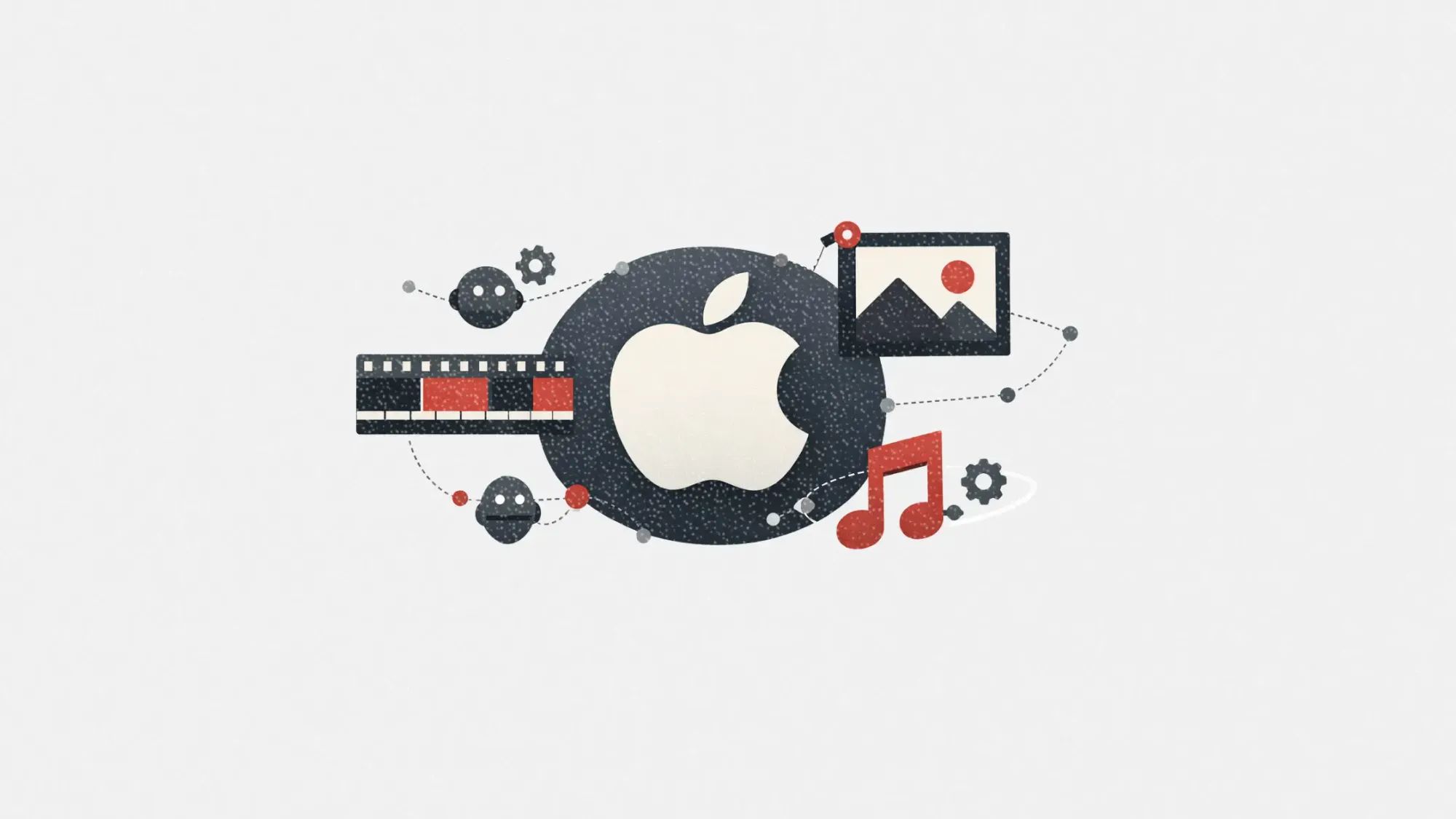
Apple just entered the creative productivity war with a new suite, and it’s taking a very deliberate stance on artificial intelligence.
Creator Studio Pro, launched this week, bundles Apple’s most powerful creative apps into a single subscription and adds a suite of AI tools designed to support, not supplant, creators. While other tech giants experiment with fully generated content, Apple’s approach positions AI as an assistant that takes care of tedious tasks, freeing creators to focus on their vision.
This article explores what’s inside Creator Studio Pro, why Apple’s AI stance matters, and how marketers and creatives alike should think about the implications.
Short on time?
Here’s a table of contents for quick access:
- What’s in the Creator Studio Pro bundle
- How Apple’s AI tools actually work
- Apple’s privacy-first AI model
- What marketers and creatives should know
 Patrecia Meliana
What's in the Creator Studio Pro bundle
Priced at US$12.99 per month or US$129 annually, the new subscription includes Apple’s flagship creative tools across video, music, and visual design:
- Final Cut Pro, Motion, and Compressor for video editing
- Logic Pro and MainStage for music production
- Pixelmator Pro for image editing
- Enhanced versions of Keynote, Pages, Numbers, and Freeform with premium content and new AI features
This is the first time Apple has bundled these tools under a unified offering. It makes studio-grade tools more accessible to emerging creators, indie artists, and marketing teams working without massive production budgets.
How Apple's AI tools actually work
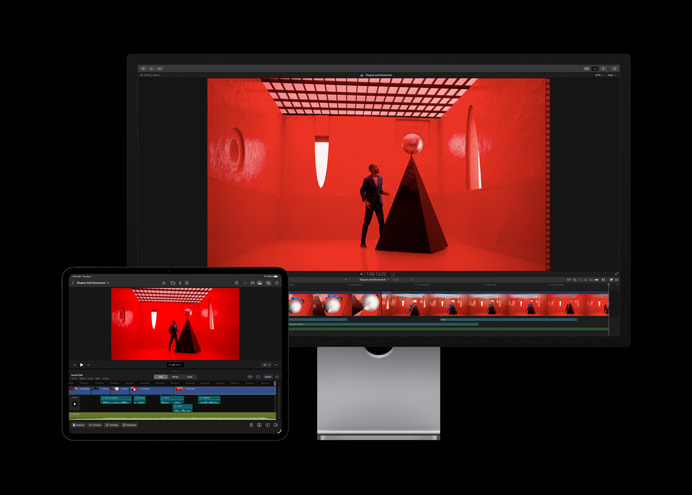
Rather than generate videos, images, or songs from scratch, Apple’s AI features are designed to streamline creative workflows.
In Final Cut Pro:
- Transcript Search: Type a phrase to locate soundbites in long footage
- Visual Search: Search videos for objects or actions
- Montage Maker: Auto-generates highlight reels on iPad
- Beat Detection: Aligns edits to music rhythms
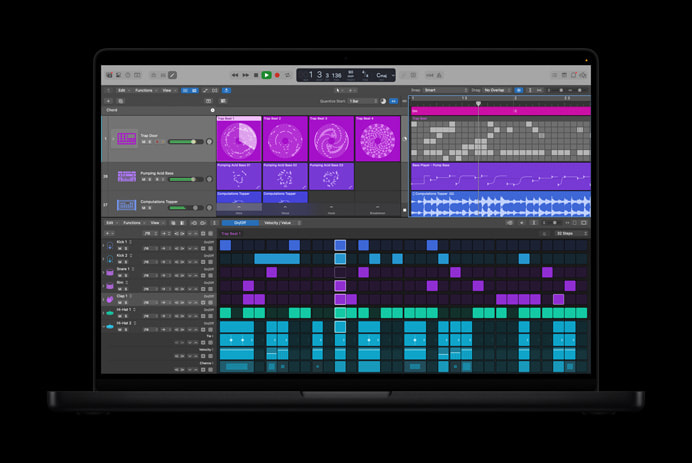
In Logic Pro:
- Chord ID: Identifies chords from audio or MIDI recordings
- Synth Player: An AI-powered session player for bass and synths
- AI-powered loop matching: Natural language search across sound libraries
In Pixelmator Pro:
- Super Resolution: AI upscaling for sharper images
- Auto Crop and Liquid Glass UI: Smart composition and modern UI
- Warp tool: Shape mockups for product previews on real-world objects
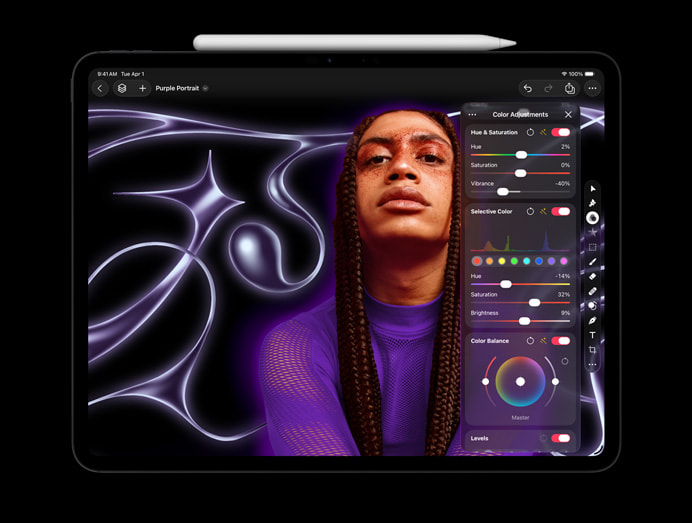
In Keynote, Pages, and Numbers:
- AI slideshow builder: Creates decks from your notes
- Presenter notes generator: Drafts speaker notes for presentations
- Magic Fill in Numbers: Auto-generates spreadsheet formulas from patterns
- Image remixing and generation: Adjust style, orientation, or angle of visuals
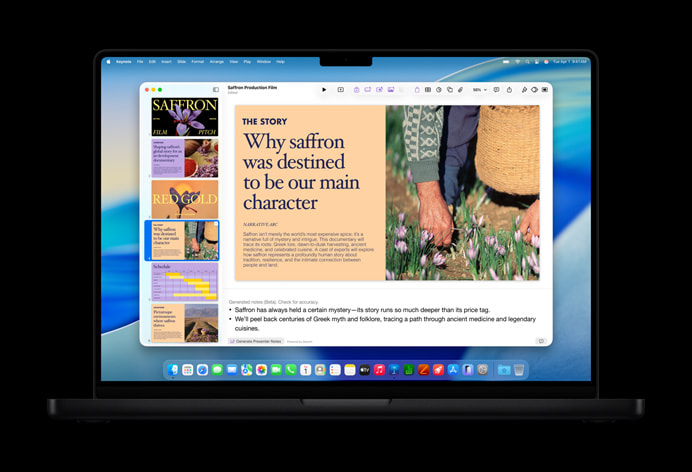
It’s a distinctly human-centric approach to AI. Instead of creating for you, it creates with you. The goal is to reduce friction without removing the creative process.
Apple's privacy-first AI model
Apple’s approach to AI also comes with guardrails that marketers should take note of.
Some features run on-device using Apple Silicon and the company’s own Apple Intelligence models. Others, such as advanced image generation in Keynote, rely on third-party models like OpenAI. Apple routes traffic through private relays to anonymize user data.
Importantly, Apple states that none of the content generated through Creator Studio Pro is used to train its models. This is a key point as creatives and marketers grow more wary of how AI systems leverage user data.
What marketers and creatives should know
For marketers in creative-led industries, or those managing lean content teams, Apple’s new suite has both immediate utility and broader strategic signals. Here’s what to watch:
1. More power, less bloat
Creator Studio Pro packages professional-grade tools into a single subscription. This makes high-quality production accessible without juggling multiple vendors or licenses.
2. AI that enhances, not replaces
Unlike Adobe Firefly or Microsoft Copilot, which lean toward auto-generation, Apple’s AI features act more like accelerators. They help with rough cuts, first drafts, or edits rather than creating full content from scratch.
3. Ideal for indie marketers and brand creators
Whether it’s a DTC brand manager needing fast-turn social content or a B2B marketer editing explainer videos, the suite delivers solid value. The AI tools are useful even without deep creative expertise.
4. Privacy baked in
For teams working in sensitive industries or client-facing environments, Apple’s device-based AI and anonymized relay systems offer a more secure alternative to cloud-based creative AI tools.
5. Not a Photoshop killer yet
Apple’s suite still lacks some of the deep integrations creative professionals rely on. Adoption will depend on user familiarity and whether they prefer Apple’s clean UX or Adobe’s extensibility.
Apple’s Creator Studio Pro signals a clear AI philosophy: support the human, don’t replace them.
That matters for marketers navigating the increasingly murky ethics of AI-generated content. By offering tools that cut drudge work without stealing the spotlight, Apple is inviting creators to stay in the driver’s seat while productivity accelerates.
For brand leaders and marketers trying to balance scale with authenticity, it’s a model worth watching.