Grammarly review: can this AI writing assistant really improve your writing?
The AI-powered writing tool for marketers and content teams


Ever hit publish… and then spotted a typo?
Or worse—sent a pitch, proposal, or LinkedIn post only to realize the tone sounded off?
You’re not alone. In a world where content moves fast and AI is everywhere, clear and polished writing still makes or breaks your credibility.
That’s where Grammarly comes in.
From grammar checks to tone suggestions and AI-powered rewriting, Grammarly promises to help you write better, faster, and with more confidence. But does it actually deliver?
We tested it hands-on. Here’s what we found.
Short on time?
Here’s what we’ll cover:
- What is Grammarly?
- Getting started with Grammarly
- Key features
- Grammarly AI tools
- Pricing
- Best practices and tips
 Patrecia Meliana
What is Grammarly?
Grammarly is an AI-powered writing assistant designed to improve clarity, correctness, tone, and overall writing quality.
Originally known as a grammar checker, it has evolved into a full writing platform with:
- Real-time grammar and spelling corrections
- Tone and clarity suggestions
- AI rewriting tools
- Plagiarism detection
- Generative AI support
Whether you're drafting a blog post, client email, LinkedIn caption, or marketing proposal, Grammarly works in the background to refine your writing.
Getting started with Grammarly
The setup process is simple.
You can sign up using Google and start with a blank document in Grammarly Docs. The interface is clean and distraction-free, with a sidebar showing writing quality insights and suggestions.
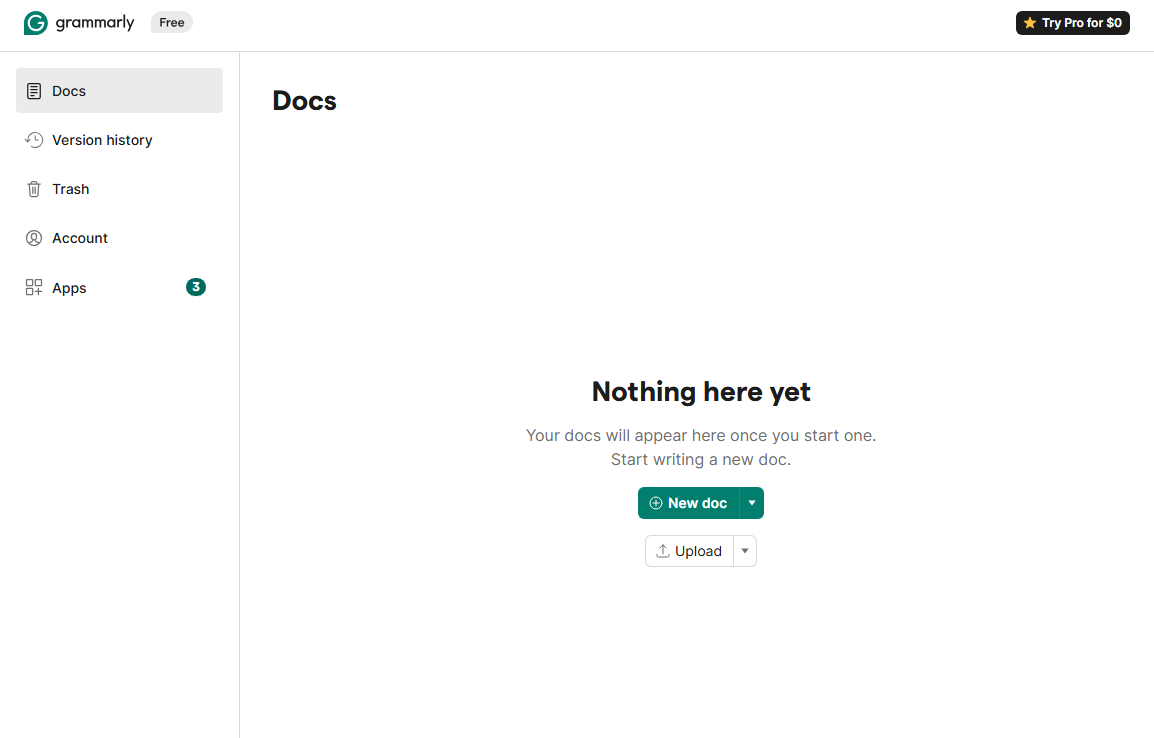
When we tested it:
- Creating a new doc took seconds
- Suggestions appeared in real time
- The “Writing quality” score updated dynamically
- The AI chat panel offered topic ideas and structural improvements
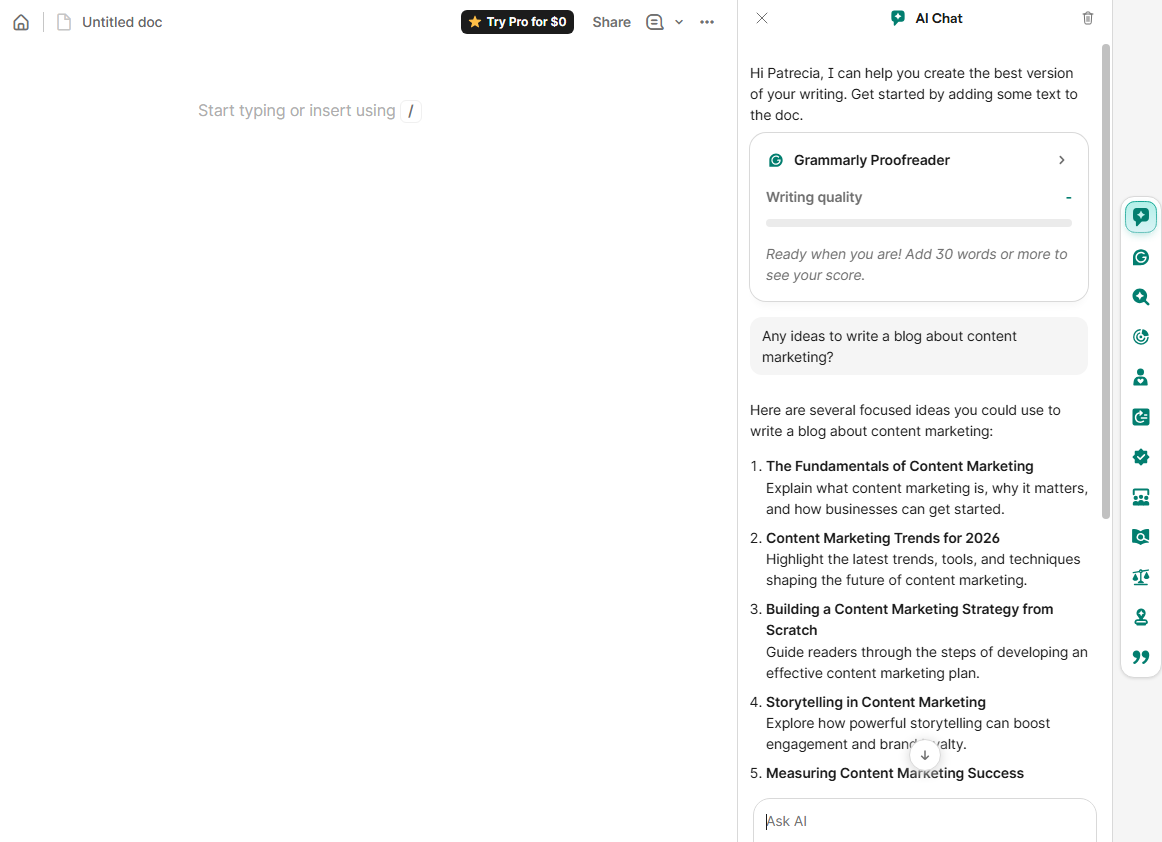
The experience feels intuitive, even for first-time users. No overwhelming menus. No complicated setup. Just start typing.
Key features of Grammarly
Here’s where Grammarly stands out.
1. Real-time grammar and clarity suggestions
As you type, Grammarly highlights:
- Grammar mistakes
- Wordy sentences
- Passive voice
- Awkward phrasing
- Punctuation errors
Each suggestion comes with a short explanation, which makes it helpful not just for fixing errors—but improving long-term writing skills.
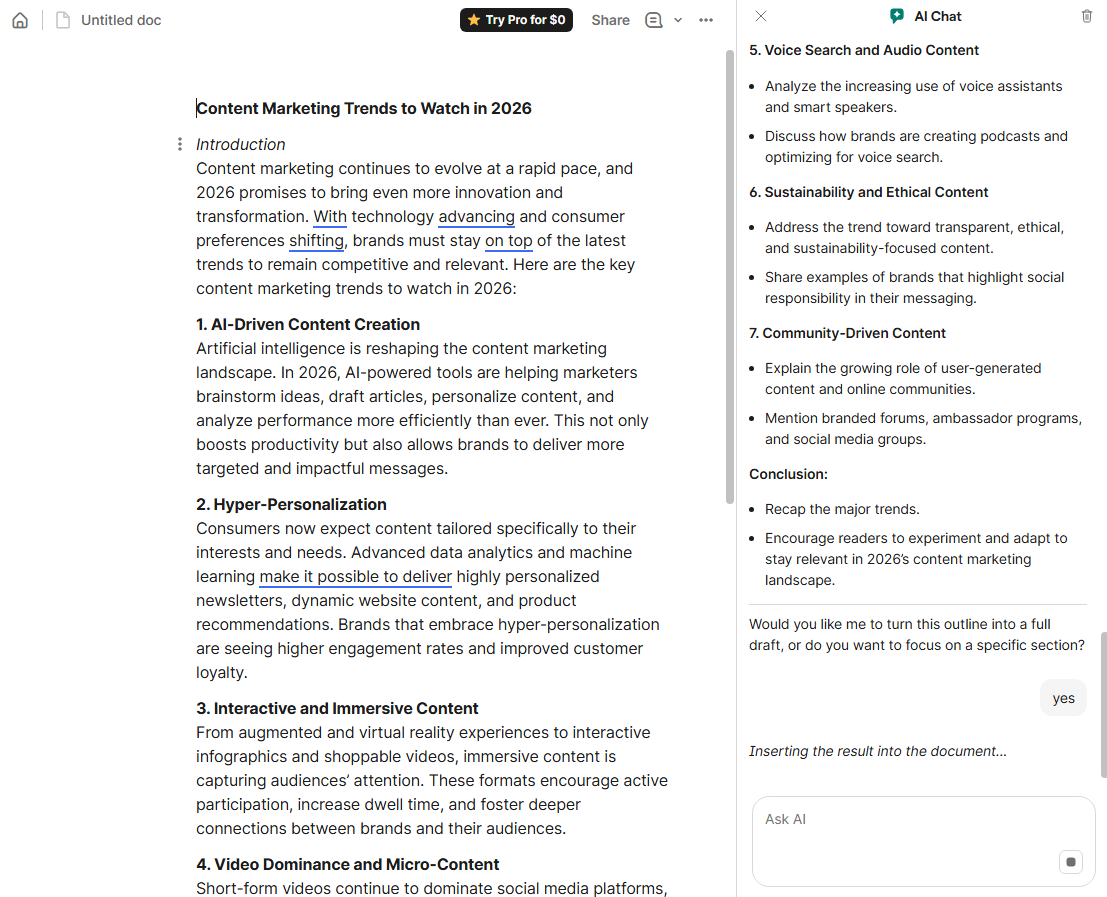
2. Writing quality score
On the right sidebar, Grammarly shows a writing quality score based on clarity, engagement, and correctness.
This is especially useful for:
- Blog drafts
- Professional emails
- Client proposals
- Academic writing
Instead of guessing whether your draft is “good enough,” you get a measurable benchmark.
3. AI rewriting and improvement tools
Grammarly now includes built-in AI features that go beyond proofreading.
From the sidebar, you can:
- Ask for blog topic ideas
- Expand or shorten sections
- Improve tone
- Rewrite sentences
- Generate content drafts
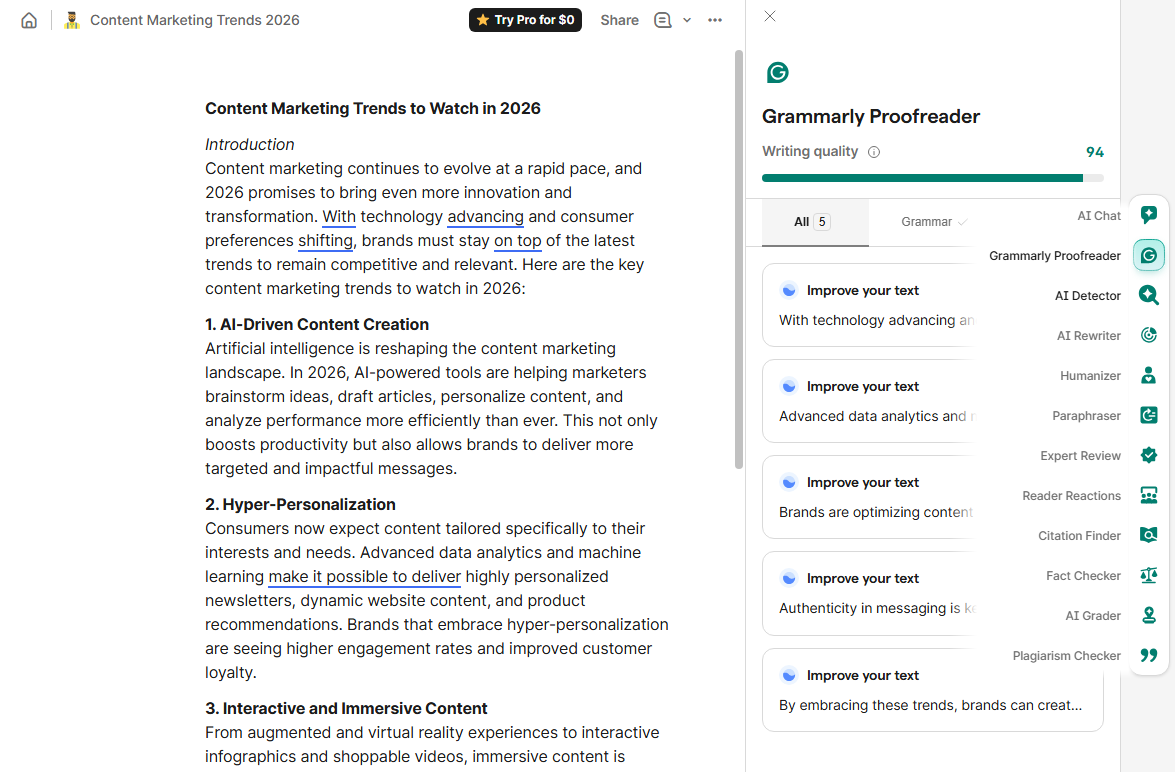
In our test, asking for blog ideas about content marketing instantly generated structured suggestions like:
- Fundamentals of content marketing
- Trends for 2026
- Strategy building
- Storytelling
- Measuring success
It’s not just a spell checker anymore. It’s a writing co-pilot.
4. Plagiarism checker
For premium users, Grammarly includes a plagiarism checker that scans your text against online sources.
This is particularly useful for:
- Agencies
- Academic writers
- SEO teams
- Guest post contributors
If originality matters in your workflow, this feature adds peace of mind.
5. Tone and audience detection
One of Grammarly’s more subtle but powerful features is tone detection.
It can identify whether your message sounds:
- Confident
- Friendly
- Formal
- Direct
- Neutral
This is extremely helpful for marketers who frequently switch between:
- Sales emails
- LinkedIn posts
- Internal Slack messages
- Executive reports
Tone misalignment can cost opportunities. Grammarly helps reduce that risk.
Grammarly AI: is it actually useful?
Grammarly’s AI chat assistant is designed to help generate, brainstorm, and refine content.
In our test:
- It provided structured blog outlines
- It helped rewrite introductions
- It suggested stronger hooks
- It refined sections to sound more urgent and persuasive
- It also has team collaboration features
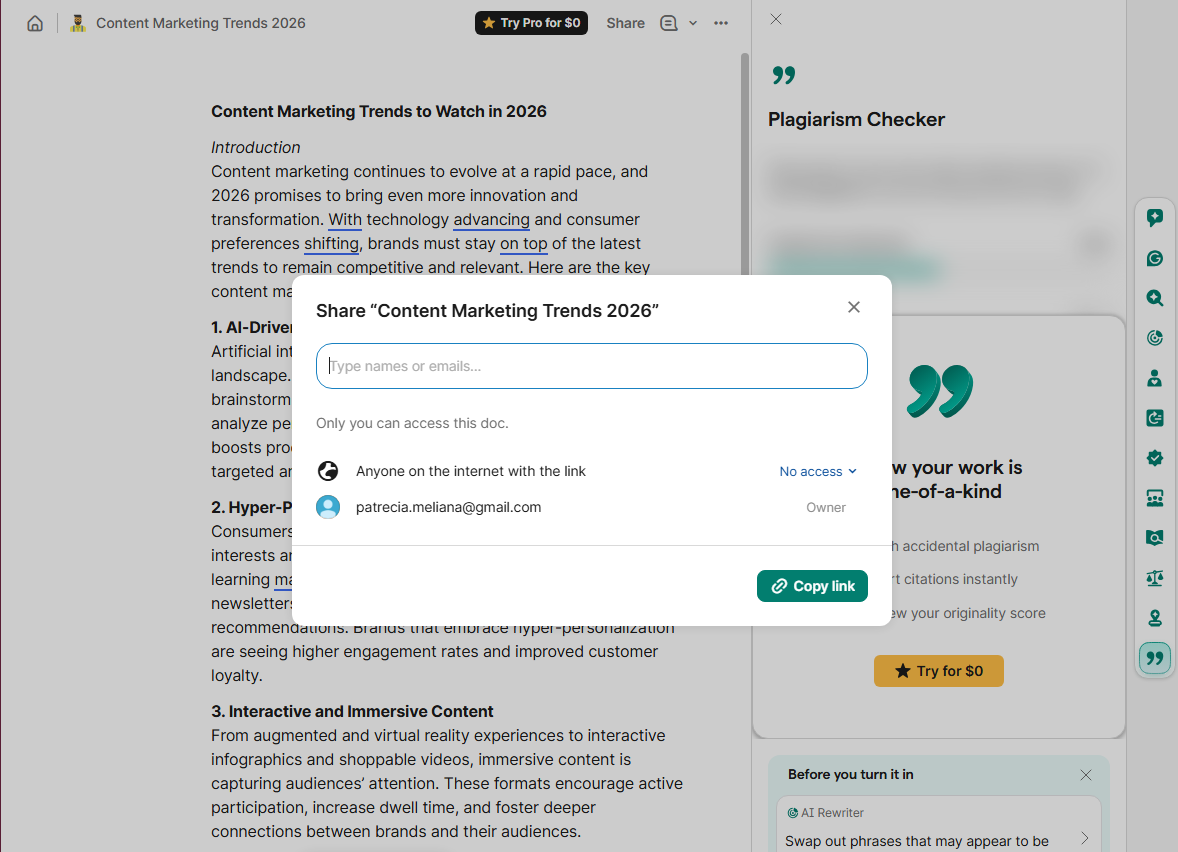
However, like most AI tools, it works best when:
- You already have a draft
- You give specific instructions
- You use it for refinement rather than full content creation
For marketers, this makes it ideal as an editing and ideation tool—not necessarily a full replacement for human strategy.
Grammarly pricing
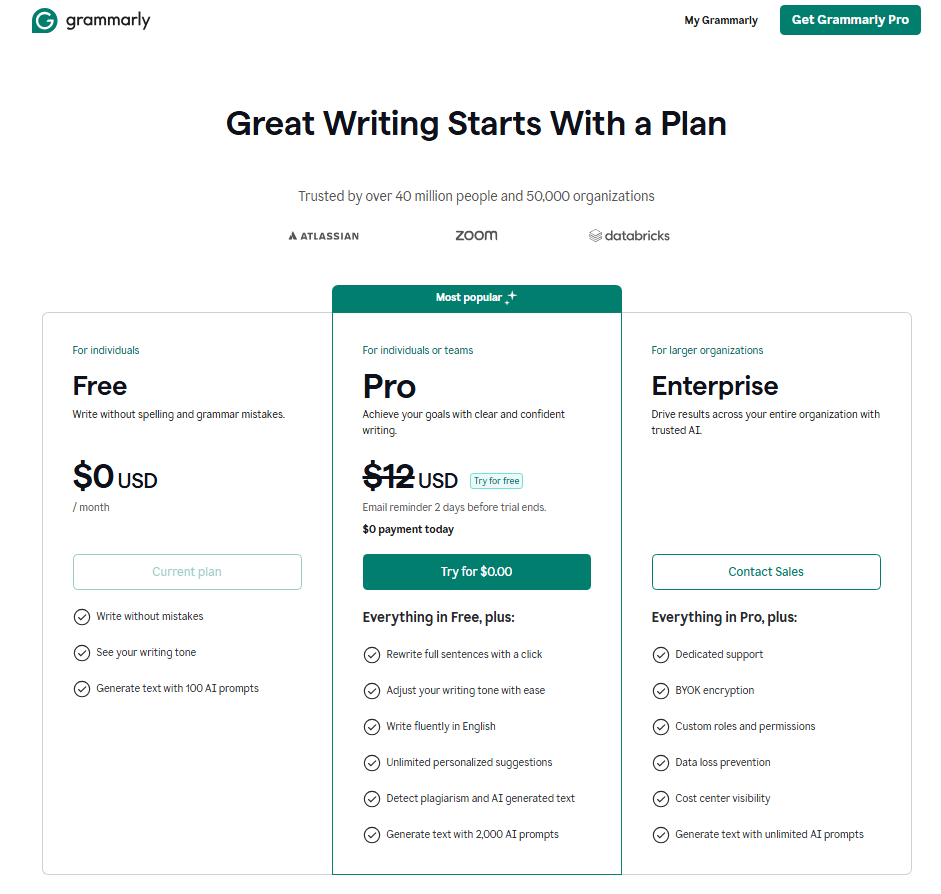
Grammarly offers:
- A free plan (basic grammar and spelling checks)
- A Premium plan (advanced clarity, tone, and plagiarism features)
- A Business plan (team management, style guides, brand tone control)
The free plan is enough for casual users.
Premium is where most serious content creators and marketers will see value—especially if you publish frequently or work with clients.
Compared to the cost of poor communication or a bad pitch, the pricing is relatively accessible.
Best practices and tips for using Grammarly
While Grammarly automates proofreading, you’ll get better results with a few smart habits:
1. Don’t accept every suggestion blindly
AI is helpful, but context matters. Always review changes before accepting them.
2. Use it after drafting, not during ideation
Write freely first. Edit with Grammarly after. This keeps creativity intact.
3. Customize tone settings
Adjust goals based on audience and intent for better recommendations.
4. Pair it with human editing for high-stakes content
For major reports, campaigns, or PR announcements, Grammarly should support—not replace—editorial judgment.
5. Use it for consistency across teams
Business plans allow you to standardize tone and style across departments.
Who is Grammarly best for?
Grammarly is ideal for:
- Content marketers
- PR professionals
- Freelance writers
- Students
- Sales teams
- Agencies
- Non-native English speakers
If writing is part of your daily workflow, Grammarly quickly becomes hard to live without.
Grammarly has evolved far beyond a simple grammar checker. It’s now a lightweight AI writing assistant that improves clarity, sharpens tone, and reduces embarrassing mistakes—all in real time.
Is it perfect? No AI tool is.
But for marketers juggling blog posts, proposals, social captions, and emails daily, Grammarly acts as a reliable second set of eyes. And in content marketing, clarity is credibility. If your words represent your brand, Grammarly might be one of the simplest productivity upgrades you can make.