Best Grammarly tips and tricks for marketers and content pros
Practical Grammarly writing tips to improve marketing copy, emails, and blog posts

Writing is still the core skill in modern marketing. Whether it is email campaigns, landing pages, blog posts, or social media content, nearly every marketing activity depends on clear and persuasive communication.
But writing well and writing fast are two different challenges. That is where tools like Grammarly come in. While many people think of Grammarly as a basic grammar checker, experienced marketers increasingly use it as a workflow tool that helps improve clarity, tone, and consistency across content.
Grammarly’s scale highlights how important writing tools have become. The platform reports more than 30 million daily active users worldwide, and its products are used by over 50,000 organizations.
This article explores practical Grammarly tips and tricks for marketers, writers, and content teams who want to produce clearer content, edit faster, and maintain a consistent brand voice.
Short on time?
Here’s a table of contents for quick access:
- Grammarly tips and tricks for marketers
- Customize Grammarly goals for marketing writing
- Use clarity suggestions to improve marketing copy
- Check tone before sending emails or LinkedIn messages
- Install Grammarly everywhere you write
- Use Grammarly to edit blog posts faster
- Create a brand style guide inside Grammarly
- Use Grammarly with AI writing tools
- Turn Grammarly into a proofreading checklist
- Common Grammarly mistakes marketers make
- Is Grammarly worth it for marketers
 Patrecia Meliana
Customize Grammarly goals for marketing writing
One of Grammarly’s most useful but often overlooked features is its goal settings. These settings help Grammarly tailor its suggestions to match the type of writing you are producing.
Marketers can adjust several variables:
- Audience: general vs knowledgeable readers
- Formality: informal, neutral, or professional tone
- Domain: business, academic, technical, or casual writing
- Tone: friendly, confident, persuasive, or informative

These settings are especially helpful when switching between different marketing tasks.
For example:
- SEO blog posts: neutral tone, knowledgeable audience
- Sales emails: friendly tone, business domain
- PR outreach: professional tone with clear structure
Pro tip: create different presets depending on the type of marketing content you produce most often.
Use clarity suggestions to improve marketing copy
Clarity suggestions are one of Grammarly’s most valuable features for marketers.
Marketing writing should be easy to understand and quick to scan. Grammarly helps achieve this by highlighting:
- Wordy phrases
- Long or complex sentences
- Unclear wording
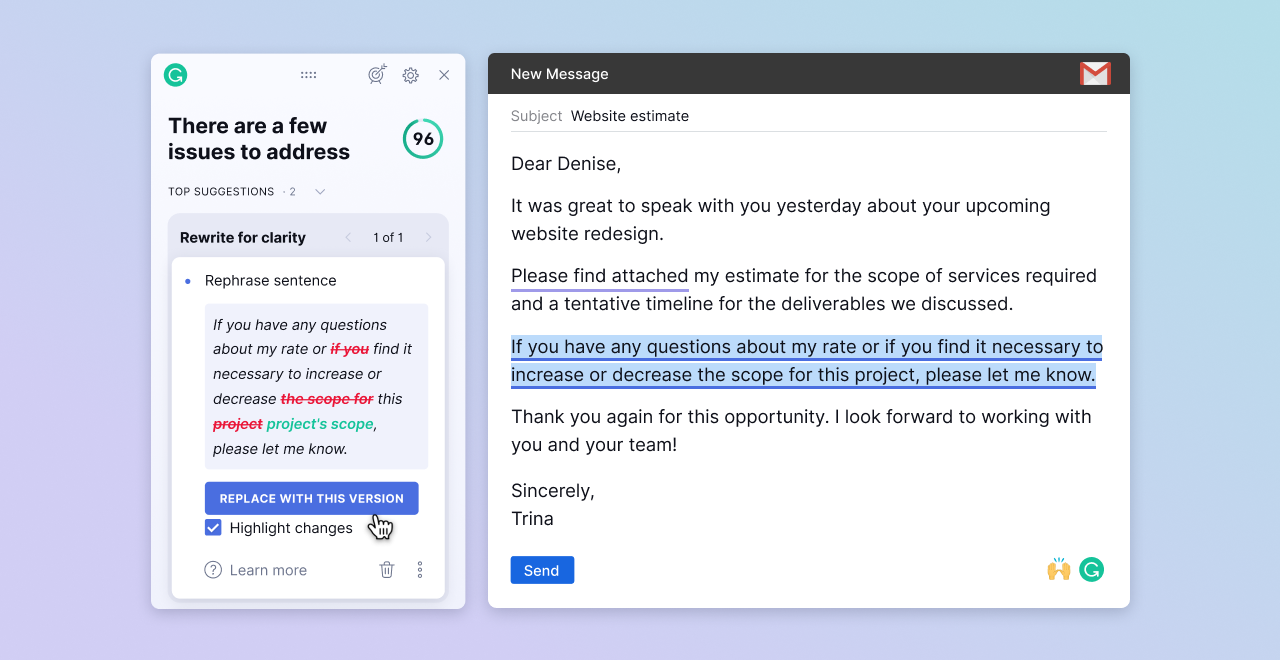
Example
Before: "Our platform provides a variety of features that allow businesses to improve the effectiveness of their marketing campaigns."
After: "Our platform helps businesses improve marketing performance."
The shorter version communicates the same message more directly. This kind of improvement can make a big difference in landing pages, ads, and product descriptions, where clarity often affects conversions.
Check tone before sending emails or LinkedIn messages
Tone detection is one of Grammarly’s most underrated features.
When writing outreach emails or LinkedIn messages, small wording choices can change how your message feels to the recipient. Grammarly analyzes tone and flags messages that may sound:
- Too harsh
- Too formal
- Uncertain
- Overly casual
This is particularly useful for:
- Cold outreach emails
- PR pitches
- Client communication
- LinkedIn direct messages
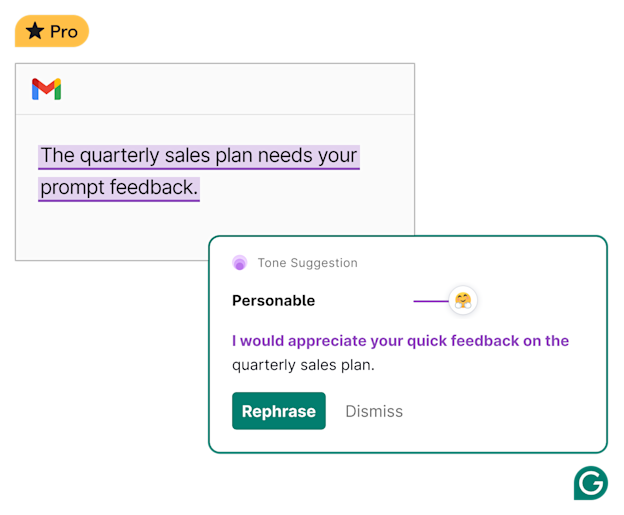
For marketers working in partnerships or business development, this feature can help ensure communication sounds confident but approachable.
Install Grammarly everywhere you write
Marketers rarely write in a single application. A typical workflow might include:
- Google Docs
- Gmail
- Slack
- CMS editors
- Project management tools
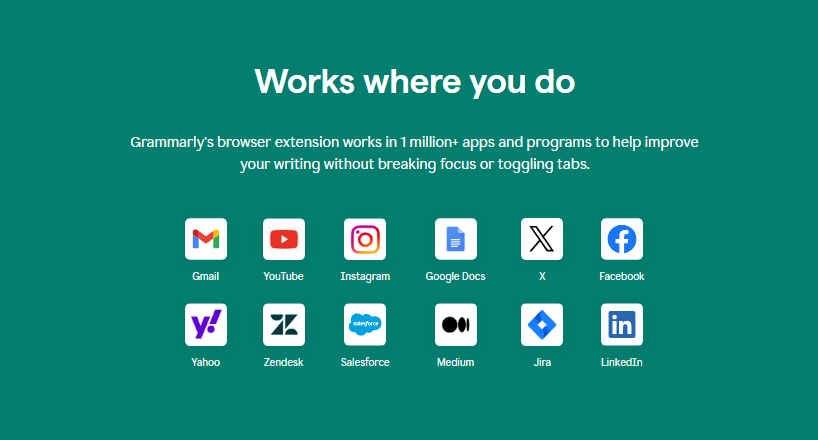
Installing the Grammarly browser extension allows the assistant to work across all these platforms.
This means you can receive writing suggestions while composing emails, drafting social posts, or writing inside your CMS. It helps maintain consistency across all channels without switching tools.
Use Grammarly to edit blog posts faster
Content teams often spend significant time editing blog posts before publication.
A simple Grammarly workflow can speed up this process:
- Write the first draft
- Run a Grammarly check
- Apply grammar corrections
- Review clarity suggestions
- Adjust tone and readability
- Perform a final manual proofread
This approach allows marketers to catch common issues early and focus their manual editing on strategy, messaging, and storytelling rather than basic grammar fixes.
Create a brand style guide inside Grammarly
For teams using Grammarly Business, one of the most powerful features is the ability to create a brand style guide inside the platform.
This allows organizations to enforce writing standards automatically across their teams.
Examples include:
- Approved brand terms
- Banned phrases or jargon
- Inclusive language guidelines
- Brand voice recommendations
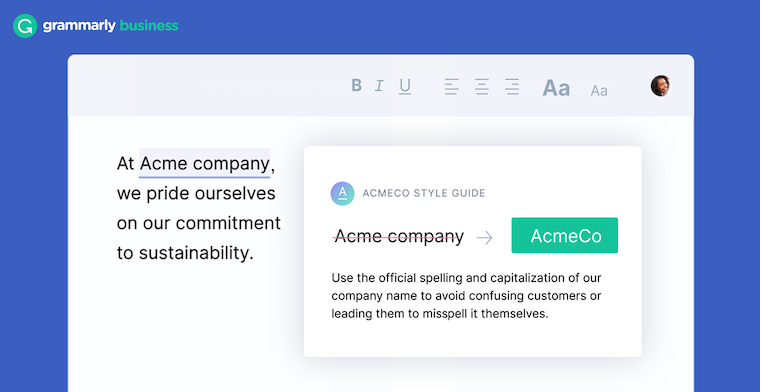
For example:
- Always write ContentGrip (not content grip)
- Avoid unnecessary marketing jargon
- Maintain consistent punctuation and style
For larger marketing teams, this feature helps maintain a consistent voice across blogs, emails, social media, and internal communication.
Use Grammarly with AI writing tools
Many marketers now combine Grammarly with AI writing tools such as:
A practical workflow looks like this:
AI generates a draft → Grammarly edits the draft → human writer refines the final message.
AI tools are excellent for generating ideas and structure, but Grammarly helps refine the writing by improving clarity, tone, and grammar. This combination allows marketers to move faster without sacrificing quality.
Turn Grammarly into a proofreading checklist
Another effective approach is to treat Grammarly as a pre-publication checklist.
Before publishing any marketing content, run through the following steps:
- Run a grammar check
- Review clarity suggestions
- Check tone analysis
- Improve readability
- Perform a final manual scan
This simple process helps prevent small mistakes that could damage credibility, especially in high-visibility content like blog posts, newsletters, or press releases.
Common Grammarly mistakes marketers make
While Grammarly is powerful, many users do not take full advantage of its features.
Common mistakes include:
- Relying only on grammar corrections
Many users ignore clarity and tone suggestions, which are often more valuable for marketing writing.
- Ignoring goal settings
If the audience and tone settings are incorrect, Grammarly’s recommendations may not match the intended writing style.
- Accepting every suggestion automatically
Grammarly suggestions are helpful but should always be reviewed manually.
- Using Grammarly only for final proofreading
Using it earlier in the writing process can save significant editing time.
Is Grammarly worth it for marketers
For marketers who write daily, Grammarly can quickly become a valuable productivity tool.
Key benefits include:
- Faster editing workflows
- Clearer, more readable content
- More consistent brand voice
- Fewer embarrassing mistakes in public-facing content
While it will not replace good writing skills or strategic thinking, Grammarly can significantly reduce the friction involved in everyday writing tasks.
Final thoughts
Writing remains one of the most important skills in marketing, even as AI tools and automation continue to evolve.
Grammarly works best when used not just as a grammar checker, but as a writing assistant integrated into your workflow. For marketers producing content across multiple platforms every day, that small layer of assistance can translate into clearer communication, faster production cycles, and more consistent messaging.
If you write emails, blog posts, or marketing copy regularly, Grammarly can easily become one of the most useful tools in your content workflow.