How to send a press release via email: a practical PR workflow
A practical workflow for sending press releases by email without confusing the pitch, release, assets, timing, or follow-up.


A press release can be perfectly written and still fail at the last step: the email that delivers it. Journalists do not experience your announcement as a neat internal workflow. They experience a subject line, a sender name, a few lines of context, and a decision about whether the story deserves more attention.
That makes email delivery part of the editorial work, not an administrative step after the release is approved. The email should help a journalist understand why the news fits their beat, while the press release remains the fuller source of record with facts, quotes, links, and background.
This guide explains how to send a press release via email without turning the pitch into a duplicate release or the release into an attachment nobody wants to open. It covers targeting, email structure, paste-versus-link decisions, media assets, follow-up, localization, and a final pre-send workflow for PR teams.
Key takeaways
- Research the journalist before writing the email. Relevance is more important than send volume.
- Treat the pitch and the press release as two different assets. The pitch explains why the story fits the journalist; the release provides the complete verified record.
- Make the news easy to access. Use a clean newsroom link, paste the release when appropriate, and avoid unnecessary large attachments.
- Offer useful next steps such as an interview, dataset, image pack, product access, or local spokesperson instead of asking whether the journalist “received the release.”
- Measure which angles and journalist segments respond, then use that learning to improve the next send.
Table of contents
- What should happen before you email a press release?
- Should the email pitch and press release be the same thing?
- Should you paste the press release into the email or link to it?
- What should a press release email actually say?
- What should you attach to a press release email?
- When should you send and follow up?
- How should global PR teams localize the send?
- What should you check before hitting send?
What should happen before you email a press release?
Before sending anything, confirm that the announcement is newsworthy, the journalist covers the topic, the facts are approved, and the supporting material is ready if the reporter asks for it.
The biggest delivery mistake happens before the email is drafted: a team decides that because a press release exists, it deserves to be sent to a large list. That reverses the logic. The release is a source document. Outreach is a decision about which journalists have a legitimate reason to care.
Cision's 2026 State of the Media release, based on nearly 2,000 journalists across 19 markets, found that 66% rely on PR-provided material such as pitches, press releases, and media kits for story ideas. The same research found that 72% say fewer than a quarter of the pitches they receive are relevant.
66% of journalists said they rely on PR-provided content for story ideas. The opportunity is real, but relevance is the gate that decides whether the material gets used.
Start by checking the journalist's recent work. Look at the last few stories, the audience they write for, the geography they cover, and whether your announcement creates a new fact or useful angle for that beat. Then verify the release one more time: names, dates, numbers, quote attribution, availability, links, product claims, and contact information.
A good send package is also ready for the second question. If the journalist replies “Can I speak to someone today?” or “Do you have the methodology?” the PR team should already know the answer. Outreach works better when access, visuals, data, and spokesperson windows are prepared before the first email leaves the outbox.
Should the email pitch and press release be the same thing?
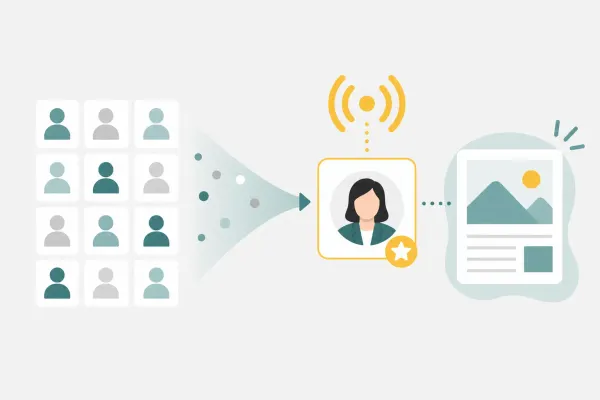
No. The pitch explains why one journalist should care about the story, while the press release records the complete announcement in a form that can be checked, quoted, and shared.
Think of the two assets as different layers of the same story. The press release should stand on its own. It contains the announcement, supporting facts, quotes, context, boilerplate, media contact, and links to relevant material. The email pitch is shorter and selective. It tells the journalist why this announcement fits their coverage and what extra value you can provide.
| Asset | Main job | What it should contain | What to avoid |
|---|---|---|---|
| Email pitch | Earn attention from a specific journalist | Story angle, reporter fit, strongest proof, one next-step offer | Copying the full company history or every approved message |
| Press release | Provide the verified source of record | Full announcement, facts, quotes, background, links, contact details | Writing it like a personalized email or hiding the main news |
This distinction becomes especially important when internal teams want every message in the email. If the pitch starts carrying the full release, the journalist has to search for the story. If the release is reduced to a few promotional sentences, it stops being useful as a reference.
Muck Rack's 2026 journalism research found that 86% of journalists say at least some of their published stories start with a PR pitch. A pitch can start the reporting process, but the supporting release still needs to survive fact-checking after the email has done its job.
86% of journalists said at least some of their published stories begin with a PR pitch. The email opens the door; the release helps the journalist report accurately once they step through it.
Tommy Prayoga, Head of Agency at Content Collision, makes the targeting principle simple: “Personalization should come from editorial fit, not from adding a journalist's name to a generic note.”
Should you paste the press release into the email or link to it?
Use the format that creates the least friction for the journalist: usually a short pitch with a clean newsroom link, with the full release pasted below the signature when the outlet or relationship makes that useful.
There is no universal rule that every newsroom follows. Some journalists prefer the release in the email because it is searchable and immediately visible. Others prefer a short pitch with a link to a clean HTML version where they can access images, background material, and updates. The safest operating principle is to make the news available in more than one low-friction way without cluttering the message.
A practical default is:
- Write a short pitch at the top of the email.
- Link to the canonical newsroom version of the press release.
- If your target journalists commonly prefer inline releases, paste the full text below your signature as well.
- Avoid forcing the journalist to download a file just to understand the announcement.
Competitor guides from Prowly and Prezly both recommend making the release accessible inside the email rather than relying on a bulky attachment. The useful takeaway is not that one format wins everywhere. It is that the journalist should not have to complete extra steps before deciding whether the story matters.
For embargoed material, be more careful. Do not publish a public newsroom page before the embargo lifts unless access is controlled appropriately. ContentGrip's embargoed press release guide explains why agreement, timing, and access rules need to be explicit before material is shared.
What should a press release email actually say?
A press release email should state the story, explain why it fits the journalist, give one strong proof point, and offer a useful next step in a few short paragraphs.
Do not begin with a long introduction to the company. Begin with the reason for the email. The journalist should understand the announcement and the audience relevance before the company boilerplate would have appeared in the press release.
A practical structure is:
- Subject line: state the actual news or angle.
- Reporter fit: one sentence showing why this journalist is receiving the note.
- News hook: what changed, when, and why it matters.
- Proof: one number, customer fact, market signal, or specific capability that makes the story reportable.
- Access: offer the release, interview, data, demo, image pack, or spokesperson that helps them go further.
Here is a reusable example:
Subject: [Company] launches [specific change] for [market or audience]
Hi [Name],
I saw your recent coverage of [specific topic], so this announcement may fit your beat. [Company] is announcing [news] on [date], and the useful angle for your readers is [consequence or change].
The release includes [strongest proof point]. We can also arrange [spokesperson/demo/data/customer/visual asset] if you are covering the story.
Full release: [link]
Best,
[Name]
[Contact details]
The template is intentionally plain. It does not try to manufacture urgency. It makes the story easy to assess and gives the journalist one clear route to more information.

What should you attach to a press release email?
Attach only files the journalist genuinely needs at that moment. Put larger image sets, videos, reports, and supporting documents behind a clean press-kit or newsroom link.
Attachments create several risks: file-size limits, spam filtering, slow mobile access, outdated versions, and an inbox full of files the recipient did not request. The better workflow is to keep the first email light, then make high-resolution assets easy to access from a stable link.
PR Newswire's 2025 Global State of the Press Release found that 9 in 10 companies always or sometimes include multimedia in press releases. Multimedia matters, but “include” does not have to mean “attach everything to the email.”
9 in 10 companies include multimedia in press releases. The delivery job is to make those assets usable without turning the first email into a file transfer.
Useful linked assets can include:
- High-resolution product or campaign images with captions and credits.
- Executive headshots and accurate titles.
- Charts or methodology for research announcements.
- Product screenshots, demo videos, or technical specifications.
- A fact sheet or backgrounder for complex stories.
- A contact route for interview scheduling or additional questions.
If a journalist asks for a specific file, send it directly in the format they request. The principle is not “never attach.” It is “do not make the journalist download unnecessary material before they know whether the story is relevant.”
When should you send and follow up?
Send when the story is useful to the journalist's workflow and follow up while the story is still timely, ideally with new value rather than a reminder that repeats the first email.
Generic advice about the single best weekday or hour can create false precision. Newsrooms, beats, time zones, and story types operate differently. A breaking cybersecurity comment, a long-lead magazine feature, an earnings announcement, and a local event invitation should not use the same clock.
Instead, work backward from the reporting window. For a planned launch, give the journalist enough time to review the material and request an interview. For an embargoed announcement, confirm the agreement before sharing sensitive details. For reactive commentary, speed matters because the story may close within hours.
Follow-up should also match the story clock. A useful follow-up adds something: a new data point, customer example, confirmed spokesperson, local angle, image, or update that makes the story easier to cover. An email that only says “just checking you saw this” gives the journalist another task without another reason to respond.
One more rule matters: stop when the contact is no longer useful. Repeated reminders can damage the relationship and distort campaign reporting by rewarding activity instead of relevance.
How should global PR teams localize the send?
Localize the story angle, spokesperson access, timing, language, and proof for the market, not just the greeting or the press release translation.
A global release may be accurate everywhere and relevant nowhere if the email does not explain what changes for the journalist's audience. A reporter in Singapore may care about regional customer adoption. An Indonesian business outlet may need local investment, hiring, regulation, or partner context. A Japanese trade publication may expect a different level of specificity, timing discipline, or supporting material.
For each market, check five things before sending:
- Local consequence: what changes for companies, customers, workers, regulators, or the industry in that market?
- Local proof: can you provide market-specific customers, data, investment, hiring, availability, or pricing?
- Local source: is there a spokesperson who can answer questions in the market's language and time zone?
- Local timing: does the send avoid holidays, major competing events, and impractical newsroom hours?
- Local format: does the outlet prefer direct email, a wire, a newsroom link, local-language material, or another submission route?
This is where a centralized global PR team can accidentally create low-fit outreach. The facts may be consistent, but the email still needs local editorial judgment. Translation is not localization if the story angle remains imported from another market.
What should you check before hitting send?
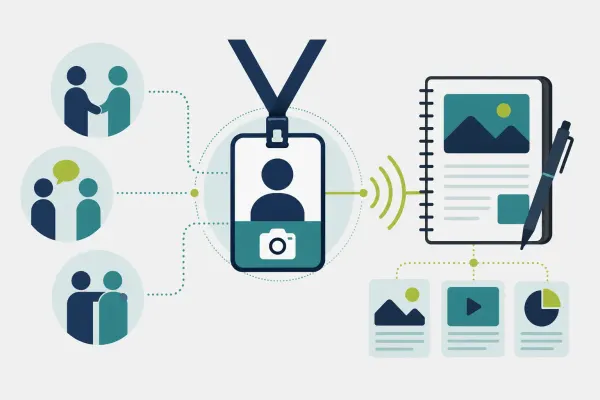
Before sending a press release email, check journalist fit, factual accuracy, subject line clarity, access to the release, asset links, contact details, timing, and the next action you are offering.
A simple pre-send QA pass prevents most avoidable mistakes. Use this checklist:
- Journalist fit: Has this person recently covered the topic, market, or type of company?
- Subject line: Does it communicate the actual news without hype?
- First sentence: Does it explain why the story fits this journalist's audience?
- Proof: Is the strongest fact specific, current, and approved?
- Release access: Does the link work, and is the page public or correctly controlled for the embargo?
- Assets: Are images, data, captions, credits, and supporting files accessible without unnecessary friction?
- Spokesperson: Is the person you are offering actually available?
- Localization: Are the market, language, time zone, currency, and local facts correct?
- Contact details: Can the journalist reach a real person quickly?
- Follow-up plan: Do you know what new value you can add if the first email gets no response?
Then read the email once from the journalist's side. If the company name were unfamiliar, would the story still make sense? If the press release link failed, would the email still communicate the essential news? If the reporter replied immediately, could the team answer the next question without restarting internal approvals?
The best workflow for sending a press release is not the one that moves the largest email list fastest. It is the one that makes a relevant story easy for the right journalist to understand, verify, and develop. Keep the pitch short, keep the release complete, keep the assets accessible, and keep the follow-up useful.